

Below are four pictures demonstrating how to access the Cinnamomum database step-by-step:
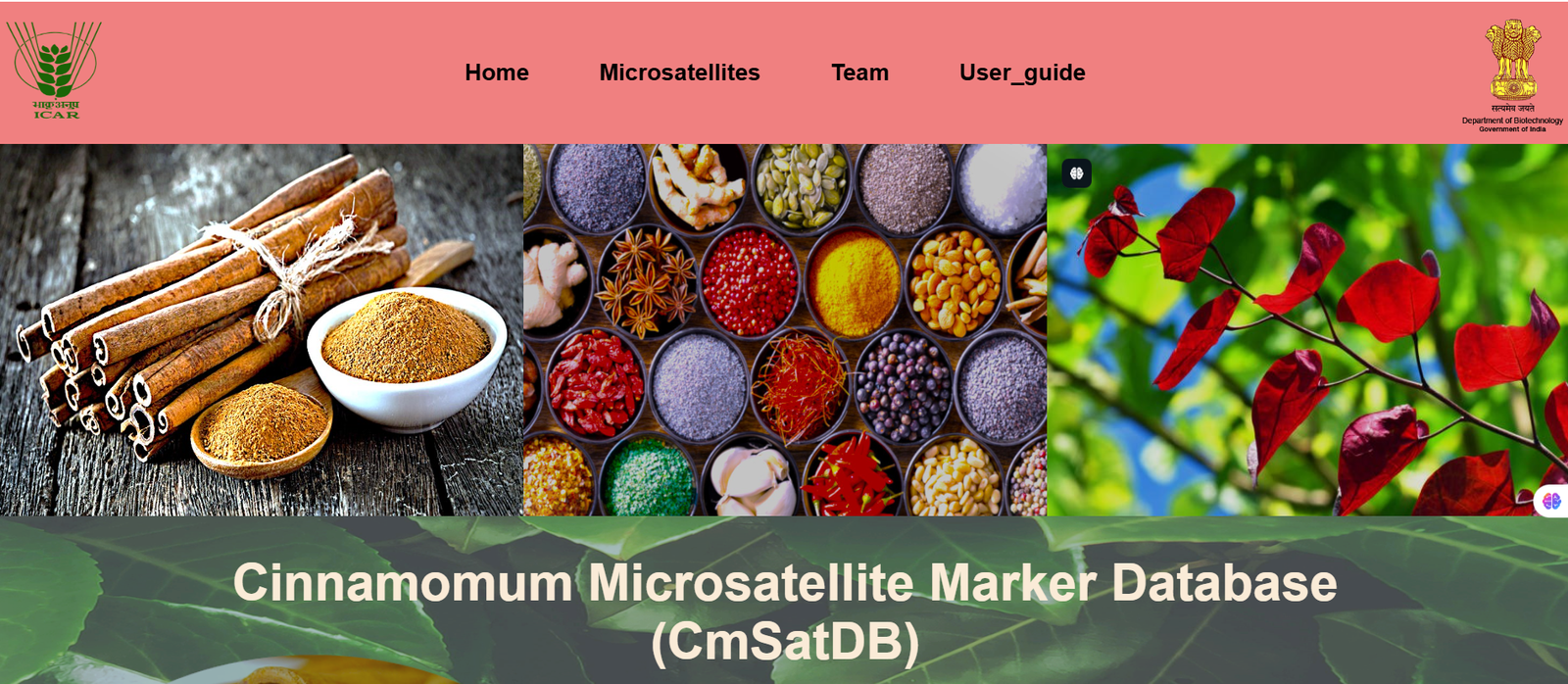
Step 1: Access the homepage of the database. This page provides an overview of the Cinnamomum database and navigate to Microsatellite and click on it.
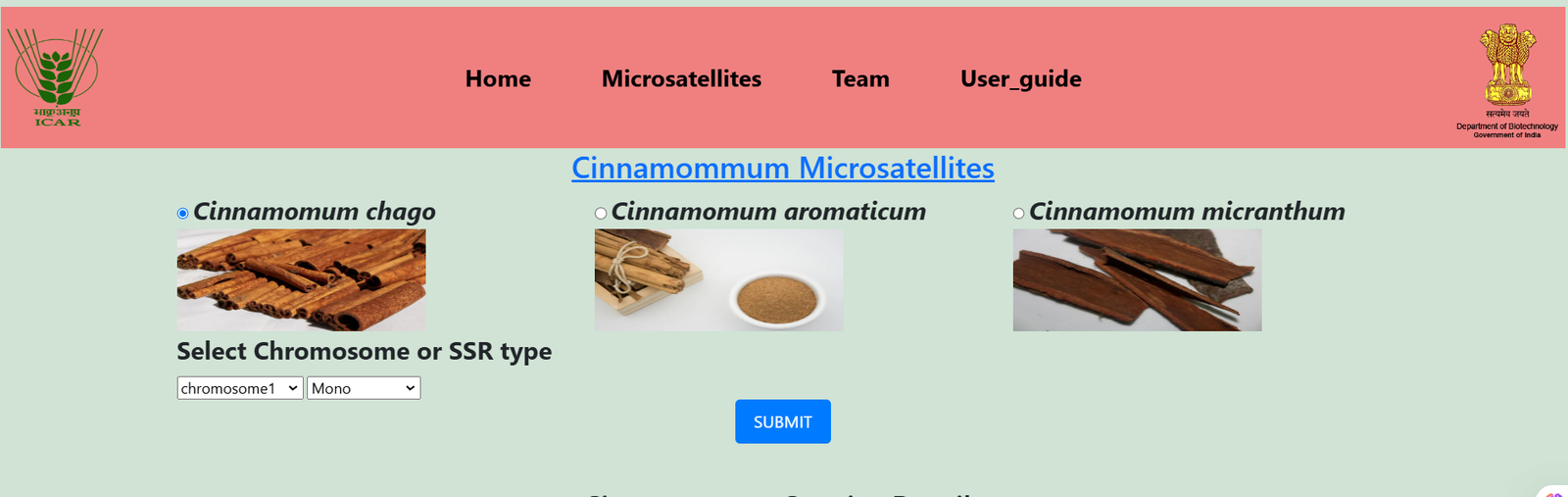
Step 2: Select a species as per choice like Chago Cinnemommum, Aromaticum Cinnemum, and Micranthum Cinnemommum by using radio button and then select chromosome and motif type from dropdown option and click on submit
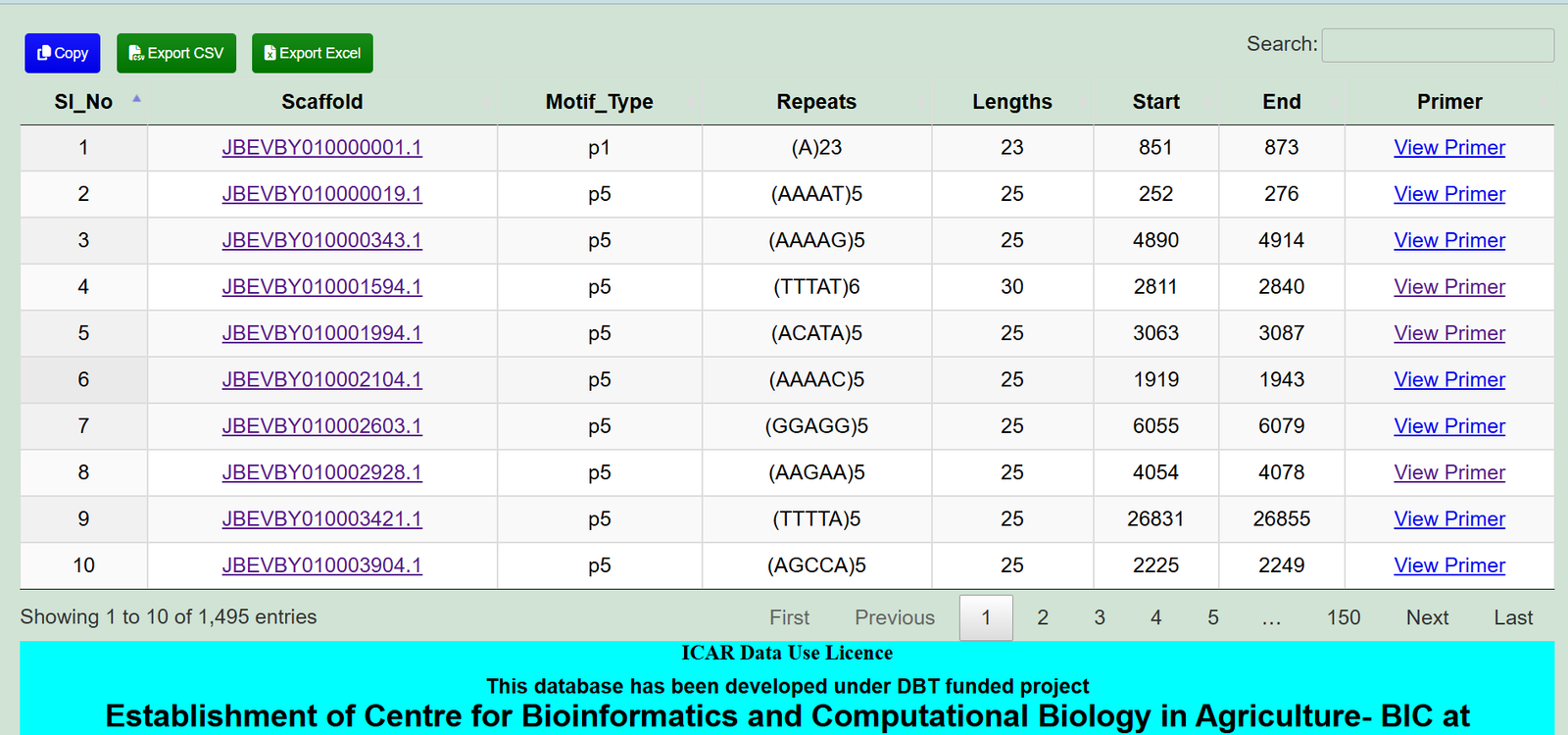
Step 3: By applying filter options, you can narrow down the search, view the reference results and click on view primer to view the primer information of desired chromosome/scaffold and you can also download the table for further analysis
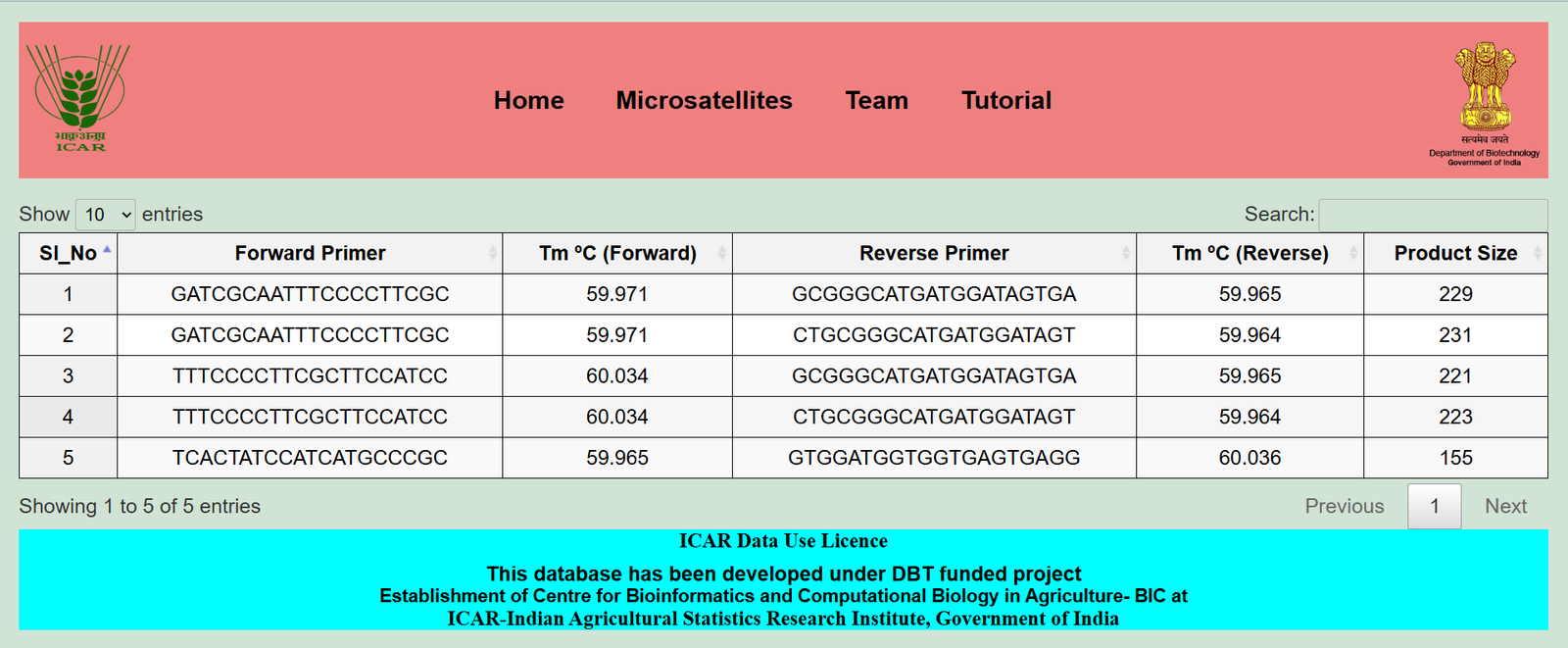
Step 4: View the primer result displayed in a table, showing relevant data like motif types, primers...
This database has been developed under DBT funded project
Establishment of Centre for Bioinformatics and Computational Biology in Agriculture- BIC at